The Medion DVD-Hard Drive Recorder model number MD84100 was being sold at most ALDI stores.
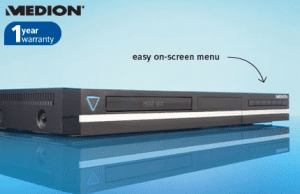
This is NOT a digital receiver model, and only receives analogue signals.
Specifications:
- DVD Recorder with 160GB HDD
- Built-in 160GB hard drive
- Multi-format recording – DVD+R/RW, DVD-R/RW
- Double layer recording (DVD+R DL)
- DivX/MP3 compatible
- Includes 5-in-1 universal remote control so you can control your recorder and 4 additional devices
- Full HD upscaling with HDMI output
- USB connection
- 2 SCART Sockets
- G-Code
- AV3 In is on the front panel
- DV In is on the front panel, for direct digital Camcorder hook up.
Tips:
To unlock the region code for the Medion MD 84100 DVD/HDD Recorder
Using the remote control:
- Press ‘setup’
- Scroll down to the ‘padlock’ icon
- Press the number zero seven times – and you should then get an onscreen confirmation of the change.
Links:
1,348.1 - 813,636
↓ Scroll down for Comments ↓
Andy. If this keeps happening after re-booting, then you may need to take it to a shop. The Drive may have failed. But sometimes it just comes back OK.
Hi, after a power cut, my HDD has stopped responding, it says ‘write fail’. Any idea what I can do to fix this?
To copy from hard drive to DVD, use the dubbing option in the left menu menu (at the bottom), once you select the recording that you need to copy.
hi, how do i copy from hard drive to a dvd pls i’m in sydney
These models have a 1 year warranty, or at least mine does.
The Medion help desk in Sydney is 1300 884 987
Unable to Play or record DVD’s As the DVD is Ejected every time Could you Help.
Where in Melbourne can one get the Recorder Repaired.
Thanks.
Camillus Delilkhan